A Guide to Profile Verification for Cam Models
A rejected profile can hold up your first stream, your first paying viewer and your first payout. That is why this guide to profile verification gets straight to what matters: proving you are an adult, proving the account is yours and getting approved without creating avoidable delays.
For webcam models and adult creators, verification is not a pointless hoop to jump through. It protects you, protects the platform and helps keep fake accounts, stolen identities and underage users out of a space where trust matters. Get it right at the start and you can focus on building an audience and earning on your terms.
What profile verification actually checks
Profile verification confirms the real person behind a creator account. Most adult webcam networks need to establish three things: that you are aged 18 or over, that your identity document is genuine and current, and that the person submitting the profile matches the person on the document.
The exact steps vary between platforms. One may ask for a photograph of your passport or driving licence, a clear selfie and a short video verification. Another may require a proof-of-address document or a signed model release. If you are joining as a couple, each person appearing on camera must usually be verified in their own right. There are no shortcuts here.
This process also helps protect your earnings. A properly verified account is far harder for somebody else to claim, interfere with or use fraudulently. It gives platforms the confidence to process payments and gives viewers more confidence that they are engaging with a genuine creator.
Your guide to profile verification: what to prepare
Before you start an application, set aside ten quiet minutes and gather your documents. Rushing while your lighting is poor or your ID is buried in a drawer is how simple applications turn into a back-and-forth.
You will normally need a valid, unexpired government-issued photo ID. A passport is widely accepted, while a UK driving licence may also be suitable depending on the network. Check that every corner of the document is visible, the text is readable and there is no glare hiding the date of birth, document number or photograph.
You may also need proof of address. This is commonly a recent bank statement, council tax bill, utility bill or official letter. The name and address should match the details entered on your profile. Do not edit documents, crop out key information or submit screenshots that make the source unclear. A small mismatch can cause a rejection, even when the details are legitimate.
Finally, prepare yourself for the selfie or live check. Use natural light where possible, remove sunglasses and hats, and keep your face fully visible. Your current appearance needs to match your identification well enough for an approval team to confirm it is you. If you have changed your hair colour or grown a beard, that is rarely a problem, but make the image as clear as possible.
How to submit documents without delays
Accuracy beats speed. Enter your legal name exactly as it appears on your ID, including any middle names where the form asks for them. Use your real date of birth and your current residential address. Your stage name, creator name and social handle can come later – verification details need to be factual.
Take fresh photographs rather than uploading old camera-roll images. Place your ID on a plain, well-lit surface and use the rear camera if it produces a sharper image. Hold the phone steady, check the focus and look at the final photo before submitting. Blurry edges, flash reflection and dark corners are among the most common reasons an otherwise valid document is refused.
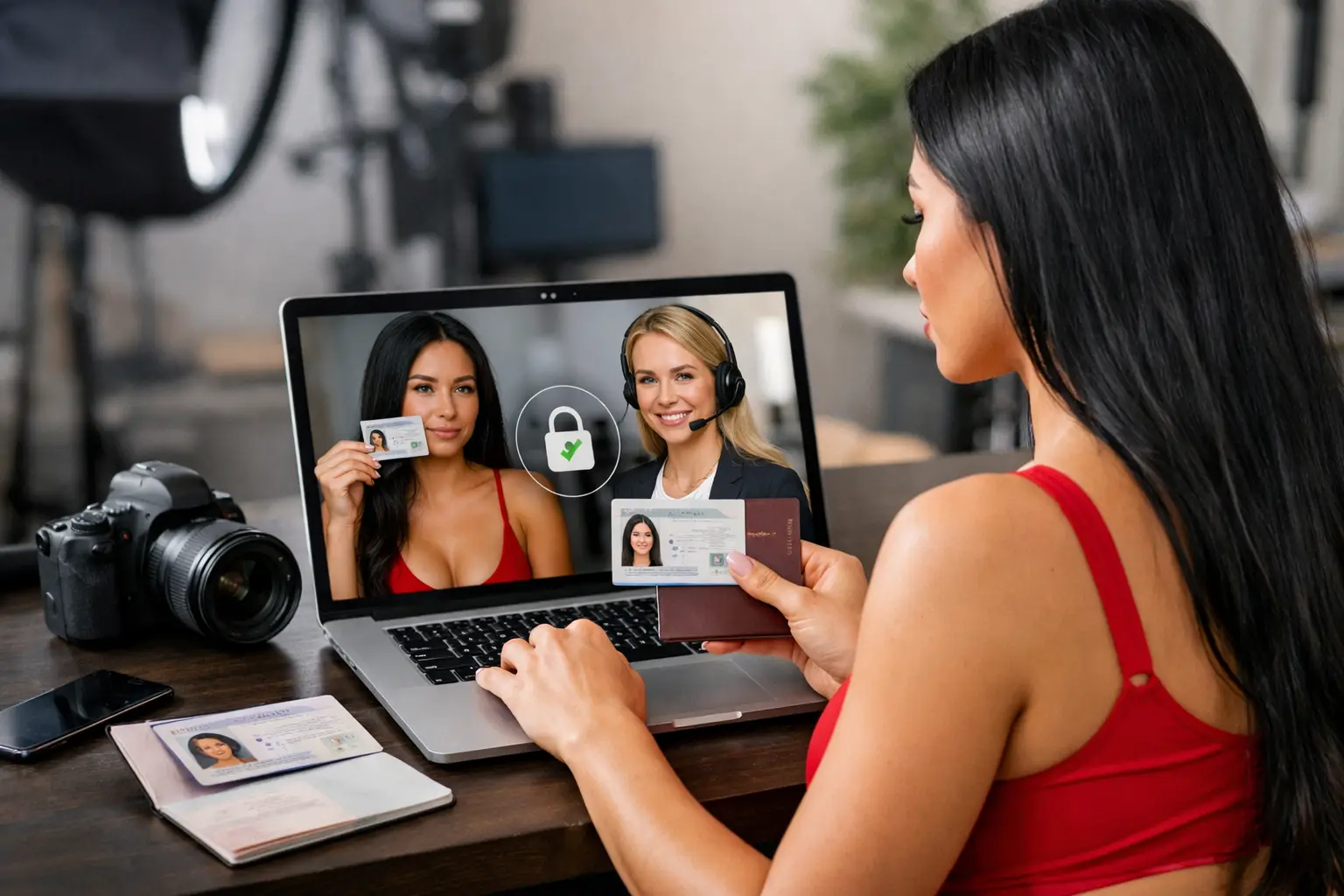
For a live selfie or video check, follow the on-screen instructions precisely. You may be asked to turn your head, blink, hold your ID beside your face or read a short code aloud. It can feel formal, but it is usually quick. Choose a private room and a reliable internet connection so you are not restarting halfway through.
If an application asks whether you will work alone, answer honestly. Anyone who appears regularly in content, even a partner, normally needs their own verification and written consent. Never let an unverified person appear on stream just because they are off camera most of the time. Platforms take this seriously, and it can put an account and its earnings at risk.
Why profiles get rejected
A rejection does not automatically mean something is wrong with your application. Often, it means the reviewer could not clearly confirm one detail. Read the reason given before uploading the same image again. If the issue was glare, a second copy with identical glare will not fix it.
Common problems include expired ID, a name that does not match, an unreadable document, a selfie taken in poor light or an image that appears altered. Proof-of-address files can also fail because they are too old, incomplete or do not show the account holder’s full name.
There is another issue worth understanding: duplicated details. Creating multiple accounts with different information, using a friend’s ID or trying to verify on someone else’s behalf can trigger security checks. It is not worth the risk. A clean, honest profile is the stronger foundation for a long-term creator income.
If you are rejected, correct the specific issue and resubmit calmly. Do not guess. If the instructions are unclear, ask for support and explain exactly what you submitted. A good agency can make this much less frustrating by checking that your setup is complete before your profile goes forward.
Protect your privacy while verifying
Handing over identification can feel daunting, especially if you are new to adult work. You should be selective about where you submit it. Only use the official verification process provided by the platform or your agency, never send ID photographs through an informal social media message or to an unknown email address.
Use a unique, strong password for every creator account and turn on two-factor authentication where it is offered. Keep your recovery email secure too. Your profile is a business asset, not just a login, because it can hold your income history, content settings and payment details.
It also helps to separate your public creator identity from your private life. Your legal name is for verification and payment administration. Your public profile can use a stage name, a different social handle and carefully chosen profile information. Avoid showing your home address, personal phone number, children’s details, everyday workplace or recognisable local landmarks in content.
Privacy does have limits. You cannot hide or falsify the information required for legal age and identity checks. The smart approach is to give legitimate verification providers what they need, then keep unnecessary personal details out of your public-facing brand.
Verification is the start, not the finish
Approval gets you through the door. It does not decide how much you earn. Your profile photographs, bio, streaming schedule, room presentation and ability to make viewers feel welcome all affect how your account performs once it is live.
That said, a completed profile gives you room to move. You can start broadcasting, build consistency, test the hours that suit your audience and treat your content like the income stream it can become. Beginners may need help with setup and confidence, while established models may be looking for better promotion and stronger administration. Both benefit from getting the basics right first.
Strictly Models supports UK creators through setup, profile support and practical guidance, so you are not left staring at a rejected upload or confusing platform form on your own. The aim is simple: spend less time stuck in admin and more time creating, performing and growing your earnings.
Take verification seriously, keep your documents clear and current, and protect your private information from the outset. A professional profile begins with proof that it is truly yours – then the work of turning it into a reliable income can begin.